WordPress plugin
Inline Related Posts Pro
Inline Related Posts Pro puts links to other articles within the body of a WordPress post, where readers can find them while reading. Use automatic insertion to add multiple boxes across posts, or place them at specific points with a shortcode.
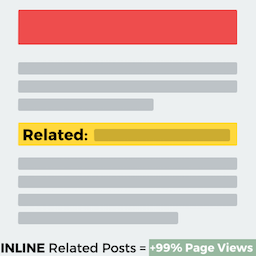
Inline Related Posts Pro puts links to other articles within the body of a WordPress post, where readers can find them while reading. Use automatic insertion to add multiple boxes across posts, or place them at specific points with a shortcode.
How does automatic placement handle content?
The add-on detects line breaks and reads HTML tags to find suitable insertion points. This helps avoid splitting paragraphs or interrupting headings when boxes are added across existing posts. Inline boxes can also sit alongside recommendations from another related-post plugin, which may appear at the end of a post.
How can you select which posts appear?
Add [irp] where you want a box. Parameters let you target listed posts, categories, or tags:
[irp]places a box where the shortcode appears.[irp posts="183,179,191,195"]displays a box with a link to a random post from the list.[irp cats="3"]targets posts in the selected category. Use comma-separated values for multiple categories.[irp tags="18"]targets posts with the selected tag. Use comma-separated values for multiple tags.
What style settings are available?
The plugin describes more than 20 style combinations across themes, colors, and hover effects. The Pro edition adds styles and capabilities beyond the standard plugin, giving you more presentation options for inline boxes.
How do you add the plugin to a website?
Install and activate Inline Related Posts in WordPress, then open its options to configure placement and presentation. Choose automatic insertion across posts or add [irp] to selected content. Review the boxes on representative posts to check their position in the article.