WordPress plugin
Menu Cart Pro
Menu Cart Pro places a shopping cart button in the navigation for stores using WooCommerce or Easy Digital Downloads, including Easy Digital Downloads Pro. Visitors can check cart information while browsing your website.
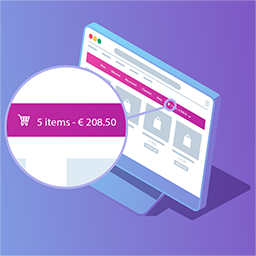
Menu Cart Pro places a shopping cart button in the navigation for stores using WooCommerce or Easy Digital Downloads, including Easy Digital Downloads Pro. Visitors can check cart information while browsing your website.
Configure the menu cart
After installing and activating the plugin, open Settings > Menu Cart Setup. Choose whether to show the cart icon, item information, prices, or a combination. Item information and prices can appear separately or together. Set the cart to appear all the time or only when it contains entries, then align it left or right, or use the menu’s default settings. Save your choices to finish setup. The cart conforms to your site’s styles.
Extend cart show and placement with Pro
- Choose from more than 10 cart icons.
- Show cart details in a flyout from the navigation.
- Add the cart and flyout to unlimited menus.
- Use a shortcode to display the cart elsewhere on your site.
- Add a custom CSS class for targeted styling.
- Receive automatic updates when new capabilities are available.
Compatibility and updates
Menu Cart Pro works with WooCommerce, Easy Digital Downloads, and Easy Digital Downloads Pro. Translations are available in multiple languages, including English, German, French, Spanish, Dutch, Italian, Polish, Swedish, Turkish, and Vietnamese.