WordPress plugin
Top Bar Pro
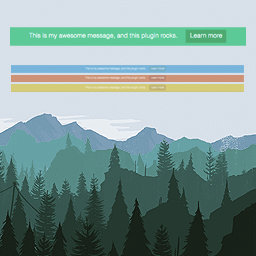
Top Bar Pro includes a notification bar to a WordPress site for short announcements, notices, and calls to action. Add a message and optional button with custom text and a URL, select a color, then set the bar to active or inactive.
Set up a clear announcement bar
Top Bar Pro includes a notification bar to a WordPress site for short announcements, notices, and calls to action. Add a message and optional button with custom text and a URL, select a color, then set the bar to active or inactive.
Choose how the bar appears
Pro controls let you tailor the bar’s display and user interaction. Choose its initial state, allow visitors to close it, add a bottom border, and set a delay before it appears. You can position the bar at the bottom of the page or keep it visible as visitors scroll.
- Set visibility for guests or registered visitors.
- Adjust the font size and color.
- Set the message, button text, and button URL.
- Choose whether the bar is active or inactive.
For example, if a notice is intended for logged-in members, the visibility setting can display it to registered users. A delayed appearance or bottom position can also fit a notice set to appear after a chosen delay or placed away from the top of the screen.
Configure Top Bar Pro
Enter the message, button details, color, status, and display preferences in the available options, then save your changes.
Translation-ready POT documents are included in the /lang/ directory. Documentation offers further usage guidance, and add-on support is available through its support platform.